Collection: Products

3 products

How Aura Smart TV Backlight Works

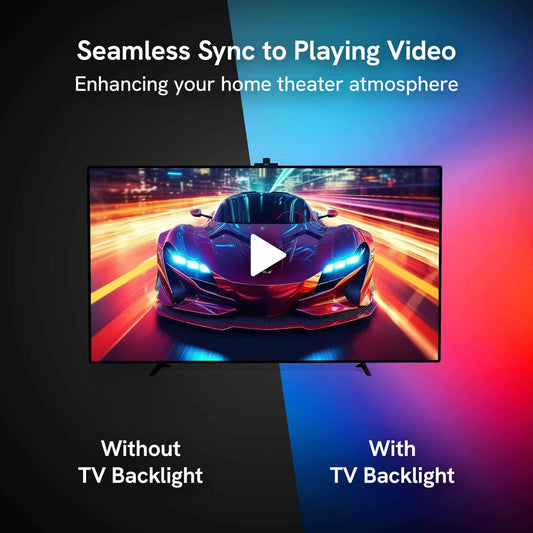
Aura Smart TV Backlight uses a camera controller mounted above your TV to detect the dominant colors on the screen and reproduce them with LED lights mounted behind the display. That means if you have something playing on the screeen, any app, media, or video game, our lens technology can sync those dynamic colors unlike some HDMI sync systems.

  • Mount the LED strip

    Attach the light strip around the back of your TV, following the recommended direction for accurate screen mapping.

  • Position the camera controller

    Mount the controller at the center of the top edge of the TV so it can view the screen.

  • Connect, pair, and calibrate

    Use the Aura app to add the device, connect it to your network, and calibrate the camera’s view of the screen.

Modern living room at night with flat screen tv that has an Aura Smart TV Backlight lens controller mounted and backlight glowing pink and purple to match the screen.

Built for Immersive Everyday Viewing

  • Screen-responsive color sync - Camera-based color matching extends on-screen color into the space behind your TV.
  • Customizable ambient lighting - Set the right light for any room or mood.
  • Simple app-guided setup - Control all your Aura lights in one app.
  • Connectivity - The device supports 2.4 GHz 802.11 b/g/n Wi‑Fi.
  • Complete installation kit - Includes the main unit, power adapter, LED light roll, cleaning wipes, wire clips, and light-strip clips. You get the lens and LED.

TV Backlight FAQs

What is a smart TV backlight?

A smart TV backlight is an LED lighting system installed behind a television. Aura TV Backlight uses a camera controller to detect colors on your screen and sync the lighting behind the TV to the viewing experience.

How do I choose the right TV backlight size?

Match the Aura Smart TV Backlight size range to your TV’s diagonal screen measurement. Using the recommended size helps support proper strip placement and color-sync performance.

Does Aura Smart TV Backlight work with 5 GHz Wi‑Fi?

No. Aura TV Backlight supports 2.4 GHz 802.11 b/g/n Wi‑Fi. Bluetooth is also required during the setup process.

Can I install Aura Smart TV Backlight myself?

Yes. The kit includes the LED strip, controller, power adapter, cleaning wipes, and mounting clips. Setup involves attaching the strip, mounting the controller, connecting power, and completing setup and calibration in the Aura app.

Is Aura Smart TV Backlight for indoor use?

Yes, it's designed for indoor use. Specifically for indoor use.

What if I need help after installation?

You have a full knowledge base with our Support Articles which include guides and tips for each of our products.

What makes Aura Smart TV Backlight special?

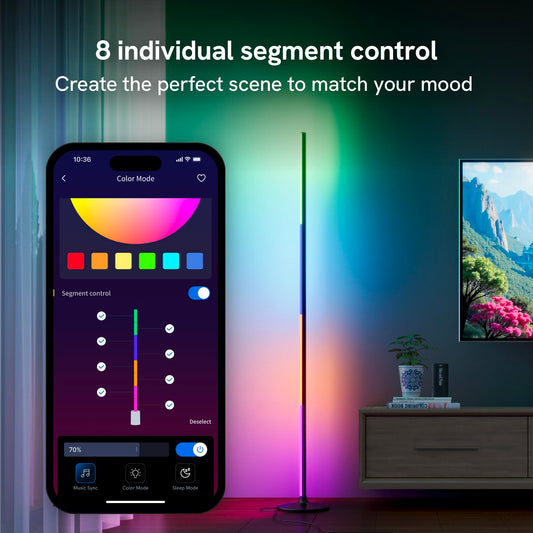
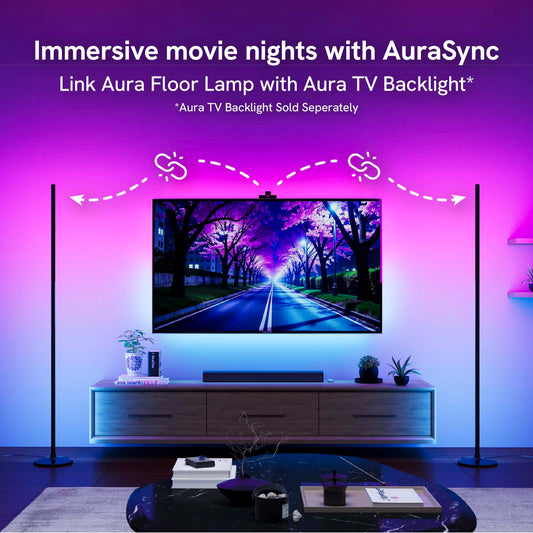
Aura's smart home lighting products are designed with quality, value, simplicity, and cross-compatibility in mind. Our latest product, the Aura Ambient Floor Lamp, was engineered to sync seamlessly with our TV backlight for a complete room experience through AuraSync technology. We've also built offline controls into every product, so you're never left with a non-functional device if servers go down. Physical buttons on each device give you most of the core functionality, while our app provides fine-tuning for those who want it. We believe smart home products shouldn't require paywalled features to actually be smart.

Aura Smart TV Backlights make it easy to bring more color and atmosphere into the space where you watch, play, and unwind. By using a camera-based controller to follow the colors on your screen, Aura adds responsive lighting behind your TV for a more immersive home-entertainment experience. Start by choosing the version that matches your TV's diagonal screen size, then use the Aura app to connect and calibrate your setup. Whether you are upgrading a main living-room TV, a bedroom screen, or a dedicated gaming space, Aura gives you a simple way to make the moment feel bigger.